Best Configs for LMC 8.4: How to Find, Install and Choose XML Files
An LMC 8.4 config is a small .xml file that stores a complete set of LMC settings: lens IDs, processing, colour and noise tuning. Users create them by tuning LMC 8.4 on their own phone and exporting the settings, then share them so others with the same phone can load them in one step. A config only helps if it was made for your model and a compatible LMC release (configs for R16 to R18 are generally interchangeable).
How to Apply These Configs?
You can follow these simple steps to apply these Configs:
Importing replaces your current settings, so export them first from the same dialog if you want to keep them. For the build we host, see the LMC 8.4 download and setup guide.
Example Configs From a Public Config Index
There is no single “best” config: the right one is the one made for your phone. The largest public collection we know of is the LMC 8.4 config index on celsoazevedo.com, which lists configs for R16 and later by phone model and creator. A few examples from that index (checked 28 September 2026):
| Phone | Config file | Creator | Made for |
|---|---|---|---|
| Samsung Galaxy S23 Ultra | JavaSaBr_lmc18_s23u_v1 | JavaSaBr | R18 |
| OnePlus 12 | Carlos_V2_OP12.xml | Carlos | R16+ |
| Xiaomi POCO F4 | bubnois-v2.xml | bubnois | R16+ |
| Motorola Edge 50 Pro | Edge50ProLMC8.4R18beta.xml | Not stated | R18 |
| Nothing Phone (2a) | IRONHEART___FINAL_lmc_8.4_r18.xml | Not stated | R18 |
These configs have not been tested by our team. We list them to show what a real config entry looks like. Always pick one made for your exact model (regional variants with different chips need different configs) and test it before relying on it.
How to Choose Between Configs
- Match the model and chip. A config for the Snapdragon version of a phone may crash on the Exynos or MediaTek version.
- Match the release. Configs made for R16, R17 or R18 usually work across those three; R15 configs may work but need testing.
- Check the lenses. A good config sets the correct camera IDs for ultrawide, telephoto and front cameras. If a lens is missing or crashes, the config may be for a different variant.
- Look at colour and noise. Some configs aim for neutral colour, others for warm, contrasty “Leica-style” tones. Compare a daylight and a night shot with each.
- Keep a backup. Export your current settings before importing, so you can go back.
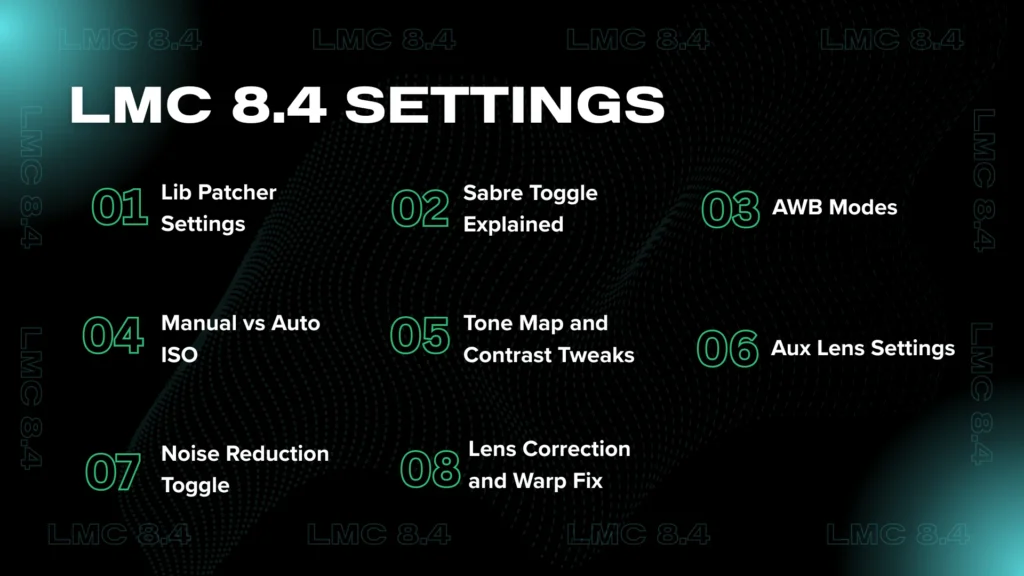
LMC 8.4 Settings (For Advanced Users)
Configs set these options for you, but it helps to know what they do. Menu names and positions change between releases, so the descriptions below say what to look for rather than an exact path.
Lib Patcher Settings:
The patcher holds the processing settings: sharpening, contrast, tone and noise. Change one value at a time and compare the same scene.
Manual vs Auto ISO:
LMC 8.4 is mostly automatic. Some modes have shutter speed options; R13 Fix 2 added ISO100, Max.Time and Max.ISO choices.
Noise Reduction Toggle:
Luma and chroma noise reduction are in the patcher. Too much luma reduction smears fine detail; too little leaves grain.
Sabre Toggle Explained:
Sabre is Google’s multi-frame merge used for Super Res Zoom and detail. LMC 8.4 exposes several Sabre options (R8 added SABER 3; R17 added Sabre noise reduction in the TEST patcher).
Tone Map and Contrast Tweaks:
Tone and contrast curves control how shadows and highlights are rendered. R14 switched to tone and gamma curves from Google Camera 8.6.
Lens Correction and Warp Fix:
If ultrawide photos look bent at the edges, look for a lens distortion correction option in that lens’s settings.
AWB Modes:
You can choose which AWB (auto white balance) model to use; R18 can also load custom ones. Switching the AWB model is often the quickest fix for green or pink casts.
Aux Lens Settings:
Auxiliary lenses (ultrawide, telephoto, macro) are set per lens, with camera IDs. They only appear if your phone exposes them to the variant you installed.
For more settings worth knowing, see our guide to hidden features in LMC 8.4.
LMC 8.4 vs Other GCam Ports
| LMC 8.4 | BSG (MGC) | Shamim (SGCam) | |
|---|---|---|---|
| Developer | Hasli | BSG | Shamim |
| Relationship | Based heavily on Shamim’s SGCam 8.4, with credits to BSG, Arnova8G2 and BigKaka | Separate port | Separate port; the base LMC 8.4 builds on |
| Settings depth | Deep: patcher, per-lens settings, AWB and noise models | Usually simpler | Deep |
| Configs | Large shared collection for R16 to R18 | Separate configs | Separate configs |
| LMC 8.4 configs work? | Yes | No, configs are not interchangeable between ports | No |
This table describes the relationship between the ports and how their settings are organised, not image quality, which depends on your phone and config.
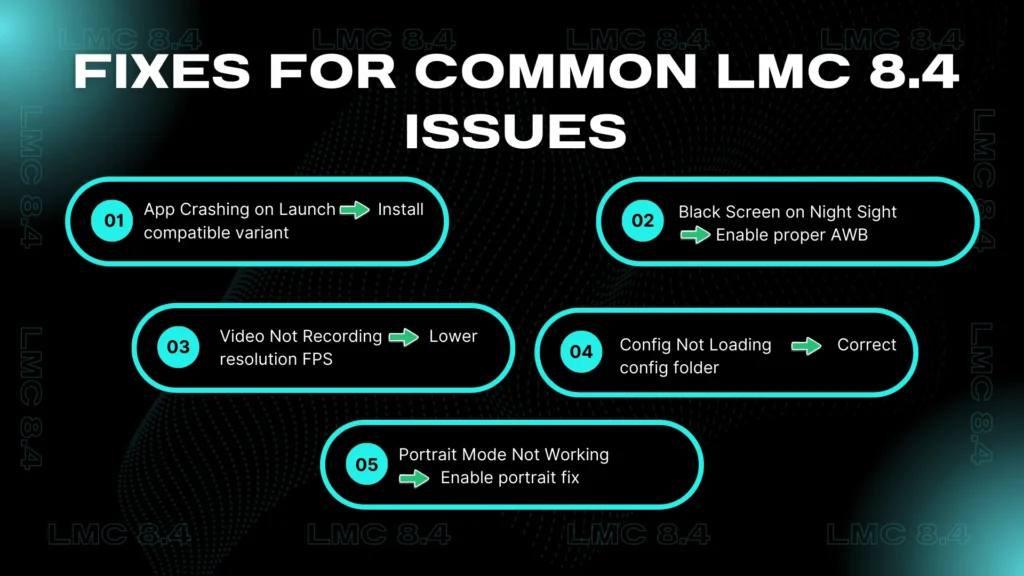
Fixes for Common LMC 8.4 Issues
Most config-related problems have simple causes. For a full list of errors, see the troubleshooting guide.
App Crashing on Launch
Why it happens: the release or variant does not suit your phone, or a config made for another phone was loaded.
Fix:
Black Screen on Night Sight
Why it happens: the config’s settings do not suit your sensor, or the release does not support it.
Fix:
Video Not Recording
Why it happens: Incorrect resolution or frame rate settings
Fix:
Config Not Loading
Why it happens: Wrong folder path or XML file not in the correct location
Fix:
Portrait Mode Not Working
Why it happens: Some phones need a config or fix toggle
Fix:
Conclusion
Configs are the main reason LMC 8.4 can look very different, and much better, from one phone to the next. Find one made for your exact model and release, back up your current settings, import it from the /LMC8.4/ folder, and compare daylight and night shots before settling on it.
If no config exists for your phone, start from the defaults and change one setting at a time in the patcher.
For shooting advice rather than settings, see our tips and tricks for LMC 8.4.