
First Look: Is LMC 8.4 Better Than Your Stock Camera App?
Short answer: on many mid-range Android phones, LMC 8.4 gives better dynamic range and night photos than the stock camera. On recent flagships the gap is small or reversed, and the stock app is almost always faster and more reliable. LMC 8.4 is a modified Google Camera 8.4 by the modder Hasli that runs on many non-Pixel phones.
This article explains where the two approaches differ, what to compare on your own phone, and the trade-offs. We have not published side-by-side test photos yet, so treat the comparisons below as the typical pattern GCam users report, not measured results. If you decide to try it, start from our LMC 8.4 download and setup guide.
Understanding LMC 8.4: A Quick Overview
LMC 8.4 is not an app-store download. It is a modified Google Camera (GCam), the app Google built for its Pixel phones. Hasli adapted it to run on other brands, such as Samsung, Xiaomi and OnePlus. The “8.4” is the Google Camera version it is based on; LMC 8.4 releases run from R8 (March 2022) to R18 (June 2023).
What draws people to it? Well, stock camera apps—the ones that come with your phone—are optimized for quick, easy use. They’re great for point-and-shoot moments but often lack the depth for those who want more control or better results in tricky conditions. LMC 8.4 steps in by using advanced processing techniques to enhance details, reduce blur, and handle lighting better. It’s like giving your phone’s camera a software boost without needing to buy new hardware.
It is not supported by Google or by your phone’s manufacturer. It is a community project: settings and configs are shared by users online, and there is no official support channel. Like any sideloaded APK, it carries some risk, so check what you download.
Getting Started: Installation and Setup
Before you can start shooting, you’ll need to install LMC 8.4. Unlike apps from the Google Play Store, this one comes as an APK file, which is basically an installer package for Android. You’ll have to enable “unknown sources” in your phone’s settings to allow installations from outside the official store. It’s a simple step: head to Settings > Security > Install unknown apps, and toggle it on for your browser or file manager.
Download it from the modder’s release listing or a mirror that publishes file details you can check. Many users then load a “config file”, a settings profile made for a specific phone model. For example, there are configs for particular Samsung Galaxy models.
Setup takes a few minutes: open the app and grant camera and storage permissions. Extra lenses (ultrawide, telephoto) only appear if your phone exposes them to third-party apps; some phones need a specific LMC variant or config. The interface looks different from your stock app, but the basic controls are similar.
Exploring the Features: What Sets It Apart
Now, let’s talk about what LMC 8.4 brings to the table. The app’s strength lies in its smart processing, which analyzes scenes in real-time to deliver sharper, more vibrant photos. One standout is its handling of dynamic range—the ability to capture both bright highlights and dark shadows without losing detail. Your stock app might blow out the sky on a sunny day, but LMC 8.4 balances it out naturally.
Another big plus is the night mode, often called Night Sight. In dim environments, like a cozy restaurant or evening walk, it combines multiple shots to brighten things up while keeping noise low. Noise is that grainy look you get in low-light photos, and LMC 8.4 minimizes it better than many defaults.
For those who like to get hands-on, manual controls help. You can adjust exposure, choose shutter speed options in some modes, and change colour processing through configs. You can also stick to auto mode.
Portrait mode blurs the background to make subjects stand out, and edge detection is often good, though it varies by phone. Astrophotography stacks long exposures on a tripod to capture stars.
The interface gives quick access to video, slow motion and panorama. The benefits are usually clearest on mid-range phones, where stock processing is often simpler.
Head-to-Head Comparison: LMC 8.4 vs. Stock Camera
The only reliable answer for your phone is to shoot the same scenes with both apps. Below is what to compare in each situation and what GCam users typically report. These are general observations, not results from our own device tests.
Daylight: both apps usually do well. Look at skies and foliage: LMC 8.4 often keeps more highlight detail, while some stock apps boost saturation and sharpening. Which you prefer is partly taste.
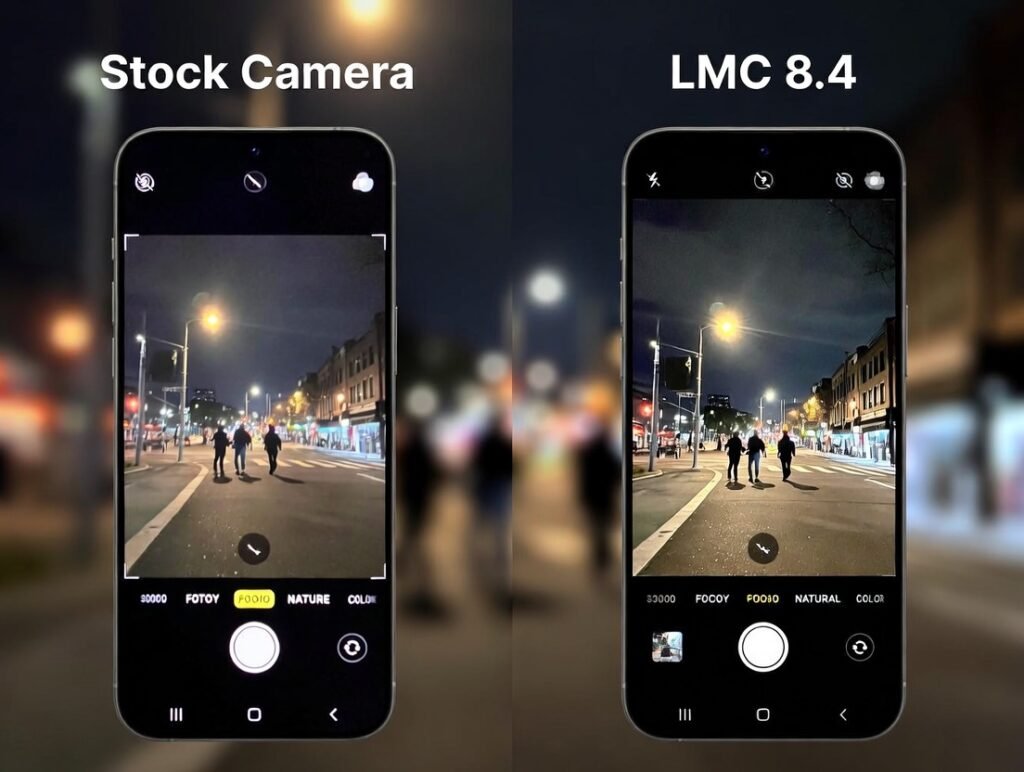
Low light: this is where LMC 8.4’s Night Sight tends to show the biggest difference on mid-range phones. Photograph a dim room and compare shadow noise and detail. Many recent stock cameras have strong night modes of their own, so the gap may be small.
Portraits: compare edges around hair and glasses, and skin tones against a bright background. Results vary a lot between phones and configs.
Video: stock apps often have better stabilisation and more resolutions, because the manufacturer can use features that third-party apps cannot. Test a handheld walking clip with both.
Special modes: astrophotography is missing from many stock cameras. With a tripod, a dark sky and a few minutes, LMC 8.4 can capture stars; the sensor limits how much detail you get.
A busy background is a good portrait test, because depth errors show clearly.
Speed: LMC 8.4 usually takes longer to process each photo than the stock app, and some phones show shutter lag.
The Pros and Cons: Weighing Your Options
On the positive side, many phones get better dynamic range and night shots. It is free, customisable with configs, and has extra modes.
Heavy processing and long exposures use more battery. Compatibility varies: some phones never run it reliably.
On the flip side, installation requires sideloading, and there is a learning curve if you are new to manual settings. Occasionally bugs appear because it is not official software: a crash or an unsupported lens. There have been no new LMC 8.4 releases since June 2023.
If your phone already has a top-tier camera, like recent flagships, the difference might be minimal. But for budget or mid-range devices, it’s a noticeable upgrade.
Final Thoughts: Should You Make the Switch?
LMC 8.4 can beat a stock camera, especially on mid-range phones and in low light, but it is not a guaranteed upgrade. It trades speed, reliability and official support for Google’s processing and more control.
It is not for everyone: if you value speed and simplicity above all, stick with your built-in camera. If you are curious and do not mind some setup, install it alongside your stock camera (it does not replace it), load a config for your phone, and compare the same scenes.
Ready to try it? Grab the latest release, check compatibility for your phone, and load config files made for your model.